Front Sensor, Parking Power, Heat: The Dual Dash Cam Specs That Matter

A dual dash cam records both the road ahead and whatever happens behind you at the same time, giving you evidence from both directions instead of a single angle. Commuters, rideshare drivers, parents of new drivers, and anyone who parks on the street benefit most. Before buying, prioritize front sensor quality, a real parking power solution, and mounts that won’t block your view or peel off in July’s heat.
TL;DR:
High-resolution front sensors improve detail but do not guarantee readable license plates at highway speeds without proper bitrate, mounting, and lighting conditions.
Loop recording continuously overwrites older files, so event locking and proper storage capacity are essential to preserve crucial footage after incidents.
Parking mode effectiveness relies on hardwired power systems or external batteries, with supercapacitors offering better heat resistance for prolonged outdoor parking.
Mounting placement and calibration are critical for reliable coverage, especially for rear cameras, with optimal positions behind the rearview mirror and on rear windshields.
Choosing a camera should focus on sensor quality and power setup rather than resolution alone, with mid-range or premium models offering better night performance and parking features.
Table of Contents
What Is a Dual Dash Cam and How Does It Work?
A dual dash cam is a 2-channel system: one lens faces forward, a second faces the rear window or rear bumper, and both record at the same time to give you complete driving and parking coverage. Some setups go further with a third, cabin-facing lens, which matters if you drive for a rideshare service and want proof of what happened inside the car, not just outside it.
Most systems on the market today share a common structure:
2-channel (front + rear): the standard setup for private vehicles, covering forward collisions and rear-end incidents.
3-channel (front + rear + cabin): common in rideshare and fleet vehicles, adds an interior view.
Add-on modules: GPS for speed and location logging, Wi-Fi or Bluetooth for pulling footage to your phone, and LTE/cloud modules for remote access.
Loop recording: the camera keeps filming continuously and automatically overwrites the oldest, non-locked files once the memory card fills up.
That loop recording piece is worth understanding early: the camera doesn’t stop recording when the card is full, it just recycles space, which is why event-lock features (which protect footage from a hard braking event or impact from being overwritten) matter more than raw storage size.
Feature Checklist: The Specs That Matter for Front + Rear Setups
Marketing copy throws a lot of numbers at you. Here’s what to actually check before you compare a “4K dash cam” to a “1080p” one.
Resolution and frame rate. Higher resolution captures more detail, but it also eats storage faster and can strain the processor. A front camera recording at 30 fps or higher tends to render moving vehicles and plates more cleanly than one stuck at 24 fps, and 60 fps helps in fast highway scenes at the cost of card space.
Sensor quality. This matters more than the resolution badge on the box. Cameras built around Sony STARVIS or IMX sensors consistently handle low light and high contrast scenes (headlight glare, tunnel exits, dawn commutes) better than generic sensors, and that shows up directly in HDR/WDR performance at night.
Field of view. A wider angle captures more of the intersection or parking lot, but stretches faraway objects, including plates, into smaller, blurrier detail. A narrower field of view trades scene coverage for legibility on distant vehicles.
Storage and overwrite protection. Confirm the maximum microSD card size and class the manufacturer actually supports, since running a card outside spec is a common cause of dropped recordings and corrupted files.
Quick stat: premium 2-channel systems increasingly pair a 4K front lens with a Full HD rear lens rather than matching 4K on both ends, since the front view is where evidence quality matters most and the rear rarely needs the same level of detail.
Will a “4K” Dash Cam Actually Capture Readable License Plates?
Not automatically. Owners comparing footage on forums routinely find that a camera labeled “4K” doesn’t guarantee a readable plate at highway speed, because resolution is only one variable. Sensor quality, bitrate (how much data the camera actually writes per second, regardless of resolution), shutter speed, and mounting angle all affect the final image more than the number printed on the box.
Fast-moving scenes need enough frame rate to avoid motion blur. 30 fps combined with a strong sensor usually covers normal driving; 60 fps helps with cars passing at speed but doubles your storage needs. A polarizing filter (CPL) cuts windshield glare, and mounting height affects whether you’re capturing a plate straight on or at an angle that stretches the characters.
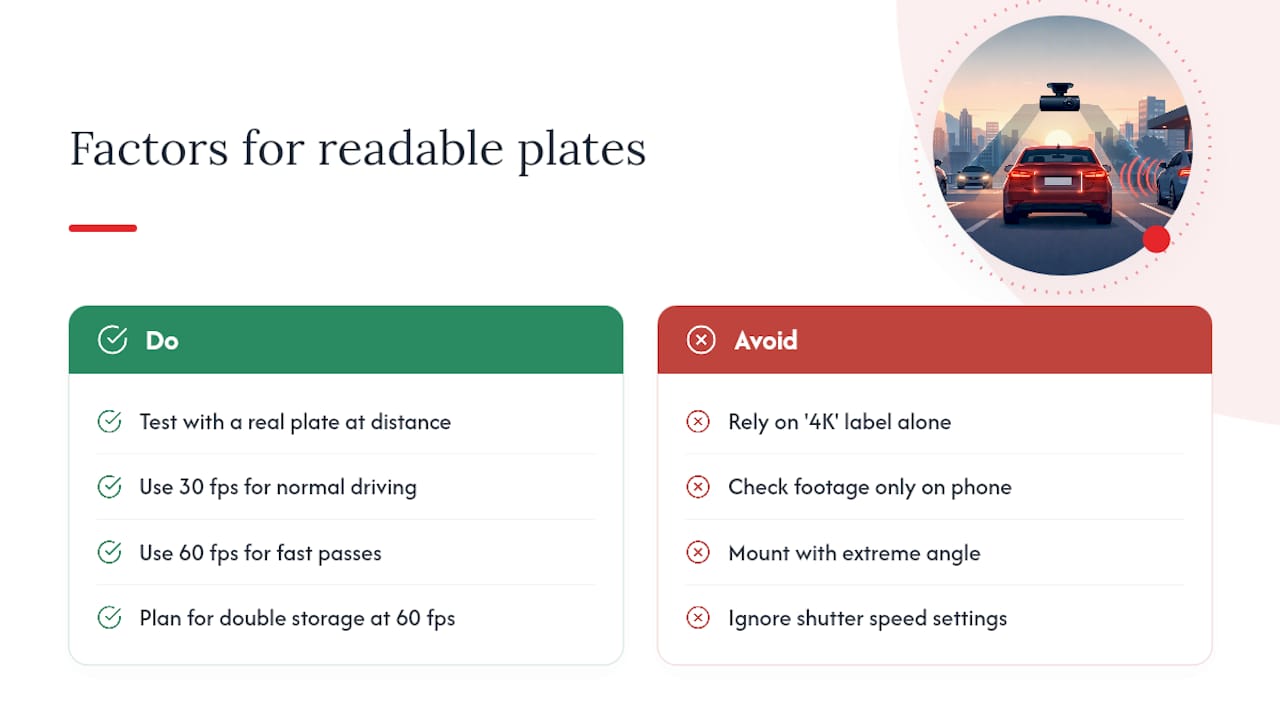
Pro Tip: Before you trust a camera for evidence, park near a legible plate at a realistic distance, drive past it at normal speed, then zoom into the footage on a full-size monitor, not your phone screen. If you can’t read it clearly there, you won’t be able to read it after a real incident either.
Power, Parking Modes, and Avoiding Heat Failures
How your dash cam stays powered when the engine is off decides whether it’s actually useful for parking incidents, which is often when you need it most.
Hardwire kits tap into your vehicle’s fuse box and constant/switched power, letting the camera run in parking mode for hours or days without draining your starter battery below a safe threshold.
Internal battery or supercapacitor powers the camera briefly after the engine shuts off, enough to finish a clip or handle short parking events.
External battery packs extend parking-mode runtime significantly, useful if you park outdoors for days at a time.
Heat is the quiet killer of parked dash cams. A camera baking on your dashboard in August can hit temperatures that damage a lithium battery, and supercapacitors handle that heat more reliably than lithium batteries, resisting swelling and failure where lithium cells degrade. Look for a stated high-temperature cutoff and an operating temperature range in the spec sheet, not just a battery type.
Parking modes vary by trigger: motion detection, impact/G-sensor detection, time-lapse recording, or a hybrid of all three. Set the sensitivity conservatively at first. A G-sensor tuned too aggressively will fill your card with false triggers from nothing more than a delivery truck rolling by.
Installation and Mounting Tips for Reliable Coverage
Getting the hardware right matters less than getting the placement right. A great sensor pointed at the wrong angle is wasted money.
Mount the front camera just behind the rearview mirror, centered, and angled so the hood takes up roughly the bottom fifth of the frame, not the bottom half.
Mount the rear camera on the rear windshield, checking that a heated defroster line or tinted glass isn’t fogging the image at night.
Route cables along the headliner and A-pillar using a trim tool to tuck wiring out of sight; rushing this step is the most common reason installs look sloppy or wires get pinched in a door frame.
Decide DIY vs. professional install based on your comfort pulling trim panels. A hardwire kit into the fuse box is straightforward for most owners with basic tools, but if your vehicle has complex wiring behind the dash, a professional installer avoids costly mistakes.
How to Choose a Dual Dash Cam by Budget and Use Case
Price bands roughly map to feature sets, and knowing which features you actually need keeps you from overpaying or underbuying.
Entry-level: basic front + rear recording, 1080p resolution, simple loop recording. Fine for a casual commuter who mainly wants a record in case of an accident.
Mid-range: better sensors, 1440p or 4K front resolution, Wi-Fi app control, and a parking mode with motion or impact detection. This tier suits rideshare drivers and anyone who parks in public lots regularly.
Premium: 4K front paired with Full HD rear, GPS logging, supercapacitor power, and often an optional LTE/cloud module for remote alerts. Worth it for parents monitoring a teen driver or owners who park outdoors long term, though cloud features usually add a recurring subscription cost.
Weigh installation cost against the camera price too. A $60 savings on a bargain unit means little if you skip the hardwire kit and lose parking-mode coverage entirely.
Auto Vibe’s Take on Dual Dash Cams
The company specializes in hand-picked car accessories chosen for both function and build quality, and dash cams get evaluated the same way: does the hardware actually do what the box claims once it’s mounted on a real windshield? Among the gadgets offered is the A210 1080p Smart Dash Cam with GPS and Wi-Fi, built for drivers who want GPS-tagged footage and phone-based access without wrestling with a clunky app or a complicated install.
For everyday commuters who want dependable front coverage plus the convenience of pulling clips straight to a phone, that combination of GPS logging and Wi-Fi transfer covers the basics most owners actually use, without pushing them toward features they’ll never touch.
Video File Formats and Software Compatibility
Most dash cams record in MP4 or MOV using the H.264 codec, occasionally H.265 (HEVC) on newer 4K models, which compresses footage more efficiently and keeps file sizes manageable at higher resolutions. H.264 remains the safer bet for compatibility, since nearly every media player, phone, and editing tool reads it without extra software.
Before you buy, check whether the camera’s proprietary app is required to view footage with GPS overlays and speed data, or whether you can pull the raw MP4 file directly off the SD card and play it in a standard player like VLC. Some manufacturers embed metadata (speed, location, G-sensor readings) that only displays correctly inside their own software, which becomes a problem if you need to hand raw footage to an insurance adjuster or law enforcement quickly.
If you plan to edit clips (trimming a specific incident, adding timestamps, or combining front and rear angles into one video), confirm the file format works with common editors like Adobe Premiere, DaVinci Resolve, or even simple phone editing apps. H.265 files sometimes need a codec pack installed on older computers before they’ll open at all, so test a sample clip before you’re relying on it during an actual claim.
Are Dash Cams Legal? Recording Laws by Region
Dash cam legality generally comes down to two separate questions: is it legal to record video from your own vehicle, and is it legal to record audio at the same time. Video recording from a dashboard-mounted camera is broadly permitted in most of the United States, Canada, the United Kingdom, and much of Europe, since you’re capturing what’s visible from a public road.
Audio recording is where the rules diverge sharply. Some jurisdictions require only one party’s consent to record a conversation (meaning you, as the driver, count), while others require consent from everyone being recorded, which complicates recording conversations with passengers. Windshield mounting placement is also regulated in some areas: certain states and countries restrict where you can mount a camera if it obstructs the driver’s view, so check local vehicle equipment rules before choosing a mount position.
A handful of countries take a stricter stance on dash cams entirely, treating continuous public recording as a privacy concern rather than a safety tool. Because these rules vary by state, province, and country, and change over time, check your local transportation authority or a current legal resource for your specific region rather than relying on general assumptions, especially if you plan to use footage as evidence or share it publicly.
Maintenance: Keeping Your Dual Dash Cam Reliable Long Term
A dash cam that isn’t maintained slowly becomes useless right when you need it most. Three habits keep it working.
Firmware updates fix bugs, improve night performance, and sometimes patch parking-mode power drain issues that weren’t obvious at launch. Check the manufacturer’s app or website every few months, since most cameras don’t update automatically.
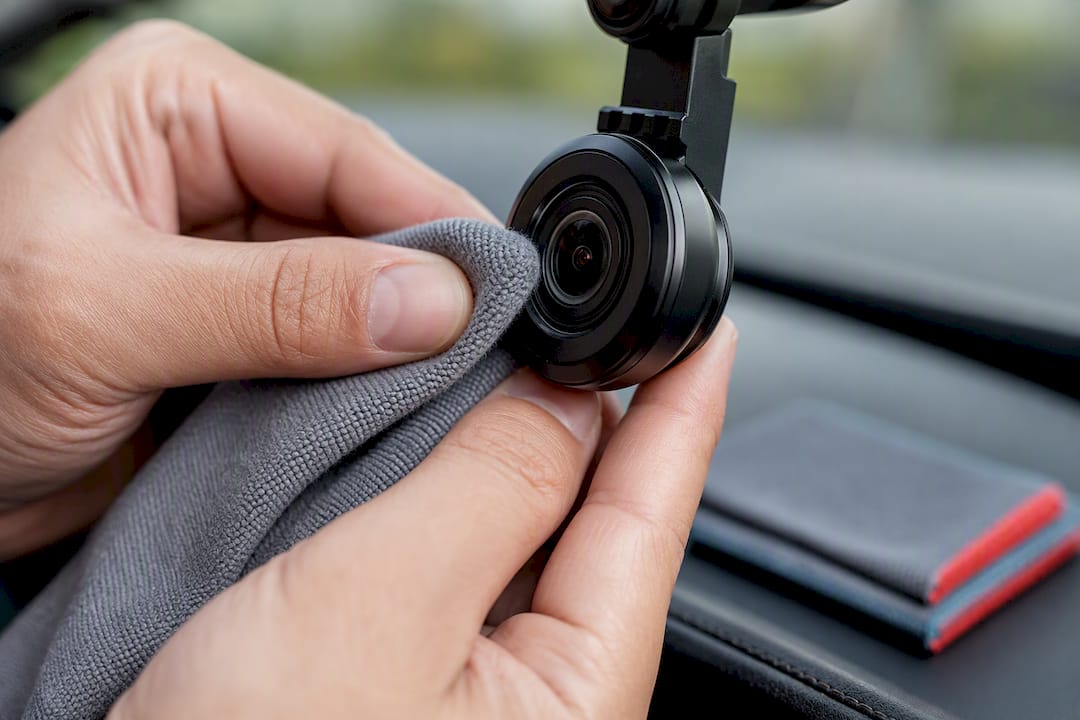
Lens cleaning matters more than owners expect. A film of road grime, condensation, or even a fingerprint smudge from mounting the camera can quietly ruin footage for weeks before anyone notices. Wipe both lenses with a microfiber cloth during routine car cleaning, not just when footage looks obviously foggy.
Troubleshooting common failures usually starts with the SD card. A card that’s failing shows up as choppy footage, missing files, or the camera refusing to boot. Reformat the card in the camera itself (not your computer) every month or two, and replace it entirely if you notice repeated corruption. If parking mode keeps draining your car battery, check your cutoff voltage settings before assuming the hardware itself is defective.
Why Buyer-First Specs Beat Marketing Claims
The conventional advice on dash cams leans hard on resolution numbers, and that’s backwards. A 4K badge tells you almost nothing about whether you’ll get a readable plate at night in the rain. What actually predicts usable footage is the combination of sensor class, bitrate, and frame rate, three things that rarely make it into the headline spec on a retail listing.
The same blind spot shows up with power systems. Buyers fixate on battery capacity in milliamp hours when the more important question is how that battery, or supercapacitor, holds up at 140 degrees behind a windshield in August. A camera that dies from heat exposure after three months of parking mode isn’t a bargain no matter what it cost.
If you’re buying one camera, spend your budget on the front sensor and a proper parking power setup before you spend it on a second 4K lens for the rear. The rear view matters, but it rarely needs to match the front in resolution to be useful as evidence.
— beny
Auto Vibe’s Dash Cam: A Direct Option Worth Considering
If everything above has you ready to actually buy rather than keep researching, you can purchase a dash cam directly instead of comparing listings across different retailers. The A210 1080p Smart Dash Cam with GPS & Wi-Fi pairs straightforward 1080p front recording with GPS logging and Wi-Fi transfer, built for the commuter or everyday driver who wants dependable coverage and easy phone access without a complicated setup process.
It fits the buyer who wants one reliable camera handling the basics well, rather than a feature-heavy system requiring a subscription or a complex install. Pair it with a stable interior phone mount if you’re also managing navigation or hands-free calls on the same drive.
Visit the A210 product page to check current specs and pricing, or browse Myautovibe’s full accessory selection if you’re outfitting more than just your dashboard.
Sources
FAQ
Is a Dual Dash Cam Worth It?
For most drivers, yes. Having both front and rear footage protects you in disputes where fault isn’t obvious, like a rear-end collision or a parking lot scrape, and modern 2-channel systems have gotten affordable enough that the coverage-per-dollar makes sense for daily commuters, not just rideshare drivers.
What Is the Best Dual Dash Camera?
There’s no single “best” camera since needs vary by budget and climate, but the strongest options share three traits: a Sony STARVIS or IMX sensor for low-light clarity, a supercapacitor for heat resistance, and a proper hardwire kit for parking mode. Buyers wanting a straightforward option with GPS and Wi-Fi can check the Auto Vibe A210.
Does Car Insurance Go Down if You Have a Dash Cam?
Some insurers offer small discounts for dash cam ownership, but policies and discount amounts vary significantly by insurer and region, so check with your specific provider rather than assuming a discount applies. Even without a direct discount, dash cam footage can speed up claims and help avoid disputed fault determinations that raise your rates after an accident.
What Is the Best Dual Dash Cam for a Car Used for Rideshare or Commuting?
For daily commuting, prioritize front sensor quality and a reliable parking mode over extra resolution on the rear lens. Rideshare drivers should consider a 3-channel system with a cabin-facing lens for passenger-related incidents, while commuters are typically well served by a straightforward 2-channel setup like the Auto Vibe A210.
Recommended
Comments